


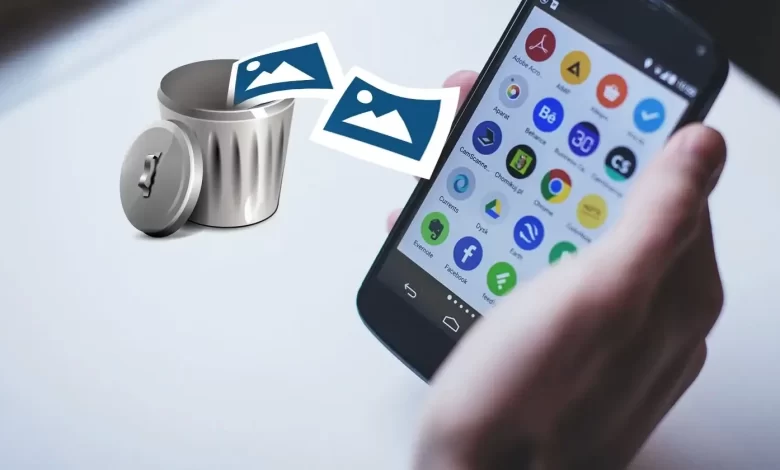
You might accidentally delete the pictures from your smartphone and looking for a method to recover deleted photos on Android. The first thing that comes to mind is whether you will be able to recover those photos or not. The Digital era has replaced the hard copies of photographs with digital ones and let us capture our memorable moments easily.
We can easily store them too, but the chances of losing them are high too. But the question is how to recover deleted images on Android.
And, the good news is you can easily recover deleted photos from your Android device without any hassle. So let’s dive in.
How to Recover Deleted Photos On Android Devices (All Methods)
When you use an SD card as secondary storage on your phone, it gives you additional space. It also makes you more prone to losing your photos, and thus it is crucial to know the methods to restore the deleted photos from an SD card on an Android phone.
1. Recover Deleted Images on Android Using Disk Drill Software
You can use the photo recovery software solutions like Disk Drill to recover the lost images or photos even without a third-party backup or cloud.
— Go through the following steps:
- Firstly, download the Disk Drill and install it.
- Connect the SD card with the computer and scan it to get the recoverable photos.
- Click on the All Recovery Methods then click on ‘Search for lost Data‘.
- Now Disk Drill Scanning for your lost data.
- Choose the photos you want Disk Drill to restore, and again click on Recover.
- Then select the folder where you want to store the images.
2. Recover Android Pictures from the Cloud
Several Android users use the cloud storage service for backing up the photos. If you are one of them, then you are lucky. But to recover your photos from cloud storage providers like Google Photos, OneDrive, you should have taken a backup of your photos earlier.
— Microsoft OneDrive
OneDrive is a Cloud Storage service by Microsoft that has a fantastic photo backup and deletes feature, which is automatic. It effectively frees up the internal memory space and deletes the phone photos and uploads them to the cloud.
If an image gets uploaded to OneDrive, you can recover it easily from any device. Go through these steps:
- Go to the OneDrive app.
- From the menu, tap on Photos.
- Tap on the More icon and click on Save.
— Google Photos
Google has developed a very smart and powerful photo-sharing, and storage app called Google Photos. This app can back up all your photos on the Android phone safely to the cloud and recover them when required.
It removes the backed-up photos automatically and makes it very easy to recover the photos from Google Photos. You can pursue these steps:
- On your device, open the Google Photos app.
- Pick the photos that got deleted
- Tap on the More option and tap on Save.
— Google Drive
When you store photos on Google Drive, the photos do not automatically show up in Google Photos. The photo backup feature automatically helps in putting the photos in Google Photos.
Here are the steps that you must follow:

- Go to the Google Drive app.
- Choose the images you wish to recover.
- Tap on the More option and then on Download.
— Dropbox
A Dropbox user can easily recover the deleted photos if he has activated the photos’ automatic backup feature. With the following small steps, it is easy to receiver the accidentally deleted photos from Dropbox:
- Open Dropbox on your Android smartphone.
- Go to the folder ‘Camera Uploads’ or to the folder where you have targeted your pictures.
- Choose the photos you want to recover.
- Tap on the More option and tap on Save to Device.
Recover Deleted Pictures with Android App
Android’s Photo Recovery Apps are helpful only during a straightforward photo recovery task. DiskDigger is an Android photo recovery app that can be used as explained below:
- Go to Google Play Store and install DiskDigger.
- Launch DiskDigger and choose any one of the scanning methods – Basic Photo Scan or Full Scan.
- Wait for the DiskDigger to search for your deleted photos.
- Select the required pictures and click on the Recover button.
- Now restore the images to the folder.
Recover Deleted Pictures from Android’s Internal Storage with the Data Recovery Software
Android devices have internal storage where they store the images, and these images automatically show up in the gallery. The recovery process depends on the operating system you have. It is a simple and straightforward process.
— For Windows 10, 8 & 7
Windows users cannot restore the deleted photos from Android’s internal storage via Disk Drill. But, they can also use Wondershare’s dr. Fone, an image recovery software application by following these easy steps:
- Go to dr.Fone’s website and download the Windows version.
- First, install and then launch dr.Fone.
- On the main screen, click on Data Recovery and now connect your Android device.
- In the type of files, select Photos you want to recover, click on Next, and choose a storage scanning mode.
- Let the scan finish, then choose the photos you want to restore, then click on Recover to Computer or Recover to Device.
— Recover Deleted Images without Root
Performing the root access to the whole file system of Android gives the best results while recovering the deleted photos. But, you can also restore the lost photos on Android without root.
— Backup and Restore
In case, the Android phone that you have is backed up already, then nothing to worry about, as you can use the backup and restore feature which is in-built, to restore the deleted photos. As per your backup age, you can effectively recover photos that you have lost. Here are the steps:
- On your Android phone, tap on Settings, then on Account.
- Log in to your account.
- Look for the Backup and Restore option, then click on Restore.
How to Recover Lost Images on Android Tablet?
Android tablets are like bigger Android phones and thus have the same tools to restore the deleted photos. DiskDrill is the best option to recover deleted images because it is extremely easy to use and is highly reliable.
Follow all the same steps as we already discussed above for Disk Drill Software to recover deleted photos on Android.
Legit Ways to Restore Deleted Images on Android Devices
The above article clearly explains the various methods you can use to restore the deleted photos on Android devices. However, you can still go through some other methods to recover even more deleted images. Following are some alternative methods to recover the deleted photos on Android devices:
1. Social Networks
Many people rely on social media to back up their photos. Although it is not a good idea, you might find the deleted pictures on social media, either shared by you or by some friend or relative. So, before losing all hope, try searching for the lost pictures on your social media handles.
2. Backups
Use the backup of your Android device if you have one. You can create a new backup before restoring the device so that you get back the deleted images.
You can then restore the device to the original state. What’s more, you can use cloud storage solutions like Google Photos, OneDrive, etc. to take cloud backup of your photos.
Conclusion
Android devices do not come with a recently deleted folder option, so be careful while deleting images or photos. In case you have made a mistake already, then the above instructions and steps will help you in one or the other way to restore the deleted photos.
DiskDrill is the most preferred image recovery software that you can use for Android devices to recover the deleted images. We hope this post suits your purpose well. Check our our website FlipTheTech now!




Generally I do not learn post on blogs, however I wish to say that this write-up very forced me to try and do so! Your writing style has been surprised me. Thanks, very nice post.