

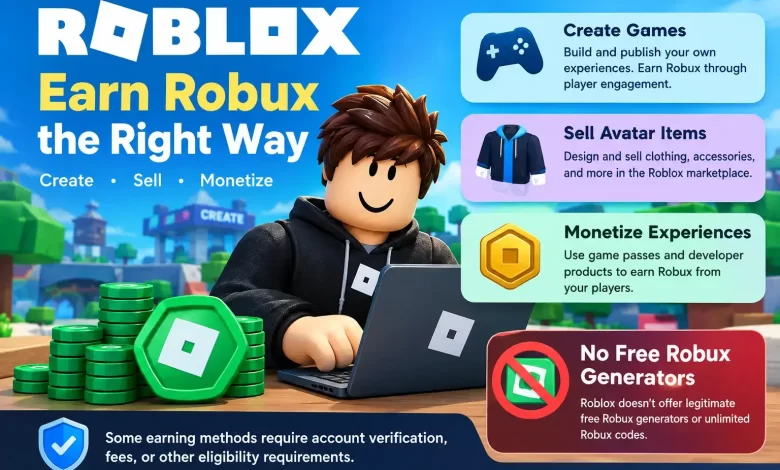
Are you looking for legitimate ways to get free Robux in Roblox without falling for scams? You’re in the right place!
Robux is the virtual currency that powers the Roblox economy. Players use it to purchase avatar accessories, unlock exclusive game features, buy special abilities, and customize their gaming experience. However, buying Robux with real money isn’t always an option, especially for younger players who want to enjoy premium features without spending their savings.
The good news? You can earn Robux through legitimate activities on Roblox, including creating games, designing avatar items, and selling in-game products.
But here’s something important: Roblox doesn’t offer unlimited free Robux, and websites promising instant Robux through generators are scams. According to Roblox’s official support page, players can earn Robux by creating and monetizing content on the platform.
In this guide, we’ll explore seven legitimate ways to earn Robux in Roblox, explain how each method works, and share practical tips to help you get started.
Whether you’re a beginner or an experienced Roblox player, you’ll discover opportunities to turn your creativity into Robux.
What Is Robux in Roblox?
Before exploring how to get free Robux, you should understand what Robux is and why players want it.
Robux (R$) is the official virtual currency of Roblox, a popular online gaming platform where users can play, create, and share interactive experiences.
Unlike coins or rewards that players collect inside individual games, Robux works across the Roblox platform. You can use Robux to:
- Customize your avatar: Purchase clothing, hairstyles, accessories, and animations.
- Unlock game passes: Access exclusive features, special abilities, and VIP areas.
- Purchase in-game items: Buy weapons, upgrades, vehicles, and other virtual products.
- Access paid experiences: Enter games that require a Robux payment.
- Support developers: Purchase items and passes from your favorite Roblox creators.
- Promote your creations: Pay for eligible advertising and promotional features.
Robux also plays an important role in the creator economy. Developers and designers can earn Robux when players purchase their virtual products.
Some eligible creators can even exchange earned Robux for real money through the Roblox Developer Exchange (DevEx) program.
However, earning Robux requires creativity, effort, or participation in legitimate monetization programs.
Can You Really Get Free Robux in Roblox?
Yes, you can earn Robux without purchasing Robux directly, but you must understand the difference between legitimate creator earnings and fake free Robux offers.
Roblox doesn’t provide a secret code, hack, or generator that adds unlimited Robux to your account.
Instead, the platform allows eligible creators to earn Robux through activities such as developing games, selling avatar items, and offering in-game purchases.
For example, imagine you create a Roblox game that attracts hundreds of players. If some players purchase your game passes or special upgrades, you can earn a share of the Robux they spend.
Similarly, if you design clothing that other players want to buy, you can earn Robux from eligible Marketplace sales.
Let’s explore the available options.
7 Legitimate Ways to Earn Free Robux in Roblox
1. Earn Robux Through Roblox Creator and Affiliate Opportunities
Roblox has offered different affiliate and referral opportunities over time. However, the traditional referral system described in older tutorials should not be confused with Roblox’s current creator monetization features.
You should not assume that sharing a Roblox item link or inviting a friend automatically earns you Robux. Instead, Roblox offers specific affiliate commissions and creator rewards through eligible activities.
For example, developers may earn affiliate commissions when players purchase qualifying avatar items or passes inside their experiences.
Roblox also provides certain subscription-related acquisition rewards through its newer monetization programs. Eligibility and payment conditions vary. Creator Hub
– How to get started:
- Visit the official Roblox Creator Hub.
- Explore the available monetization programs.
- Check whether your account or experience meets the eligibility requirements.
- Identify qualifying affiliate or creator earning opportunities.
- Create useful content that encourages genuine player engagement.
- Monitor your earnings through the Creator Dashboard.
– Tips to maximize your earnings:
- Focus on building experiences that players genuinely enjoy.
- You can also promote your creations through YouTube videos, gaming communities, and social media.
- However, avoid misleading advertisements or promises of free Robux.
Best for: Roblox creators who already have games, audiences, or monetized experiences.
2. Compose A New Roblox Game
Roblox is so extensive and amazing that it allows you to play games and creates new games for the community, because Roblox provides a development platform called Roblox Studio, which allows users to build interactive experiences.
You don’t need to be a professional game developer to start learning. Roblox Studio includes building tools, templates, and resources that help beginners understand game development.
However, advanced features often require scripting with Luau, Roblox’s programming language.
– How to Create a Roblox Game:
Follow these steps to start your first Roblox project.
— Step 1: Download Roblox Studio
Visit Roblox Creator Hub and download Roblox Studio.
Install the software on a compatible computer and sign in with your Roblox account.
— Step 2: Choose a Game Template
Roblox Studio offers templates that help you begin building. Popular beginner-friendly game concepts include:
- Obby (obstacle course) games
- Racing games
- Tycoon experiences
- Adventure games
- Role-playing experiences
- Simulation games
If you’re new to development, start with a simple obstacle course.
— Step 3: Build Your Game
Use Roblox Studio’s tools to create environments, obstacles, interactive objects, and gameplay mechanics.
You can also explore the Creator Store for development assets. Only use assets that you have permission to include, and inspect third-party scripts before adding them to your project.
— Step 4: Test Your Game
Before publishing, test your experience carefully. Check whether:
- Players can complete objectives.
- Interactive objects work correctly.
- The game runs smoothly.
- Mobile users can access important controls.
- Players encounter unexpected bugs.
Fix any problems before making your game public.
— Step 5: Publish Your Experience
Publish your game through Roblox Studio and configure its settings.
You must meet Roblox’s applicable publishing and public-access requirements before other players can discover your experience.
— Step 6: Add Monetization Features
Once your game works properly, consider introducing optional purchases. For example, you can sell game passes that provide special abilities or access to exclusive areas.
You can also create developer products that players purchase repeatedly.
– How Much Robux Can You Earn From a Roblox Game?
Your earnings depend on several factors, including:
- The number of active players
- Player engagement and retention
- The popularity of your experience
- The value of your in-game purchases
- Applicable Roblox revenue-sharing rules
Creating a game doesn’t automatically generate Robux. You need to attract players and use eligible monetization features to earn revenue.
If you’re searching for inspiration, explore our guide to the best Roblox games to play.
Best for: Creative players interested in game design and development.
3. Promote Your Roblox Game to Attract More Players
Creating a Roblox game is only the beginning. If nobody discovers your experience, earning Robux becomes difficult.
That’s why promotion plays an important role in building a successful Roblox game. However, promoting your game doesn’t automatically reward you with Robux.
Instead, promotion helps attract players who may eventually purchase eligible items or passes inside your experience.

– How to Promote Your Roblox Game:
— Create an attractive game thumbnail
Your game’s thumbnail is often the first thing potential players notice. Use an engaging image that accurately represents your gameplay.
Avoid misleading graphics or exaggerated promises.
— Write an informative game description
Explain what makes your game interesting. Also Include relevant keywords naturally so players can understand your experience.
For example:
“Explore a challenging obstacle course featuring exciting levels, hidden rewards, and competitive gameplay.”
— Share gameplay videos
Create short videos showing your game’s most exciting moments. You can share them on platforms such as YouTube, Instagram, and TikTok.
Focus on demonstrating real gameplay rather than making unrealistic claims.
— Encourage player feedback
Ask players what they enjoy and which features need improvement. Use their suggestions to make meaningful updates.
— Release regular updates
New levels, features, and challenges can encourage players to return. A game that provides consistent entertainment has a better chance of building a loyal audience.
— Why Player Retention Matters
Attracting thousands of players means little if everyone leaves after a few seconds.
Focus on creating enjoyable gameplay that encourages repeat visits. For example, you can introduce:
- Daily challenges
- Achievement systems
- New levels
- Multiplayer activities
- Customization options
These features can improve engagement when they fit naturally into your game.
Best for: Developers who have already created a Roblox experience.
4. Create and Sell Clothes in the Roblox Marketplace
If you enjoy fashion, graphic design, or character customization, creating avatar clothing can provide another opportunity to earn Robux.
Roblox allows eligible creators to design and sell virtual items through its Marketplace. The marketplace is the place where you can let your imagination shine. Roblox has a full instrument for customizing garments that helps you to create your own clothes.
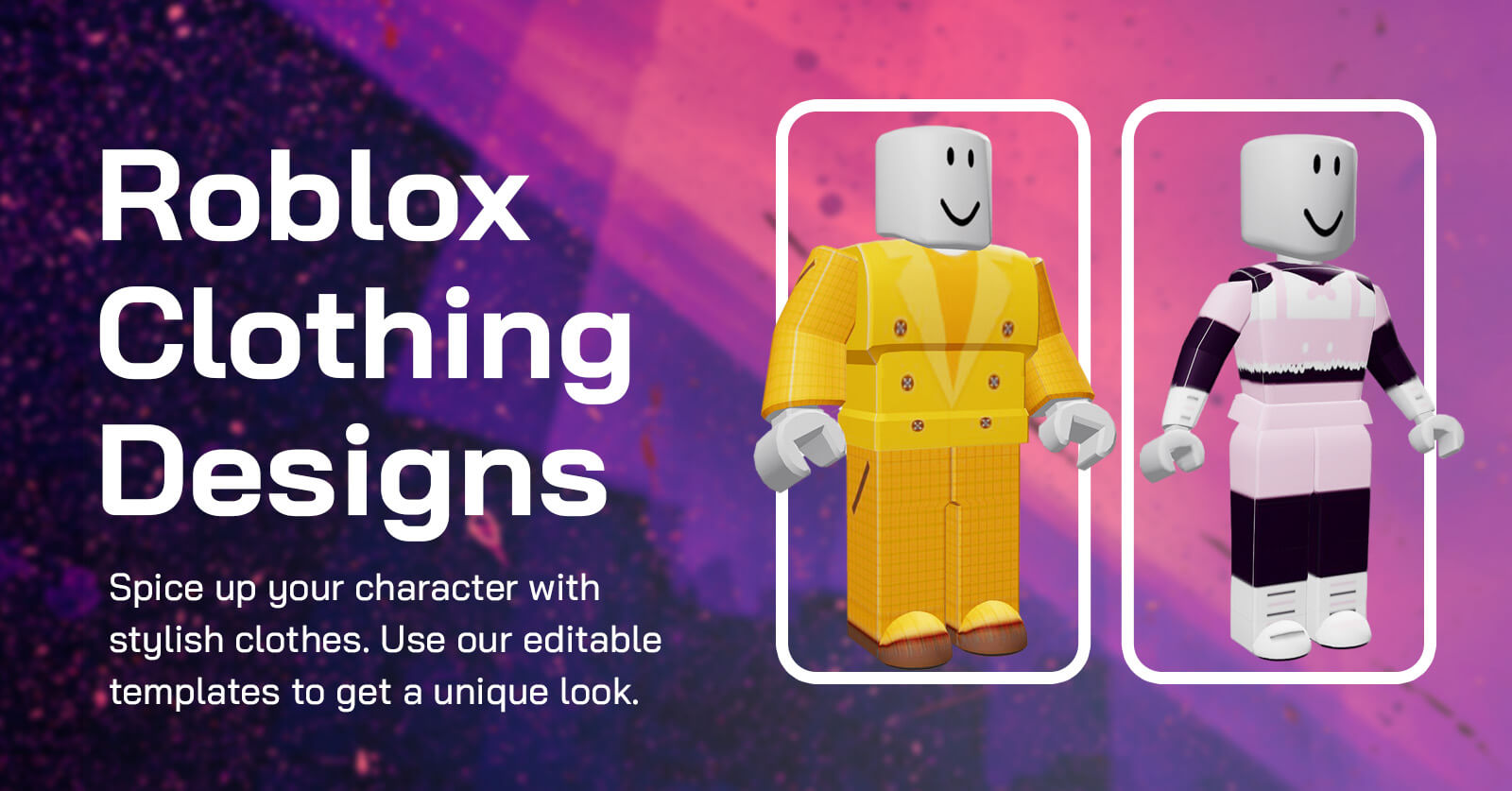
You can sell your designs on the Roblox platform online for Robux at the marketplace with Premium Membership as well. Ensure that you have an eye for trends and an appreciation of what customers want, but you’re going to earn Robux hand over fist if your designs are amazing.
These items may include:
- Shirts
- Pants
- T-shirts
- Hats
- Hairstyles
- Accessories
- Other supported avatar assets
When someone purchases your eligible item, you receive a portion of the sale revenue.
However, you must meet Roblox’s current creator requirements.
Some items require account verification, an eligible subscription, upload fees, or publishing advances.
– How to Create and Sell Roblox Clothing
— Step 1: Choose Your Design
Start by researching popular avatar styles. Look for design ideas that appeal to Roblox players. For example, you could create:
- Gaming-inspired outfits
- Streetwear collections
- Fantasy clothing
- Seasonal costumes
- Matching clothing sets
Avoid copying another creator’s work or using copyrighted designs without permission.
— Step 2: Create Your Clothing
Use the appropriate Roblox clothing templates or supported design tools. For classic clothing, you can create textures using graphic design software.
More advanced avatar accessories may require 3D modeling software.
— Step 3: Check Marketplace Requirements
Before uploading your design, review the current Marketplace rules.
Verify that your account qualifies to publish the item.
— Step 4: Upload Your Design
Follow the supported upload process and pay any applicable fees.
— Step 5: Set Your Price
Choose a price that reflects your design’s quality and the applicable Marketplace pricing rules. Remember that Roblox deducts fees or commissions from eligible sales.
— Step 6: Promote Your Clothing
Showcase your designs through your Roblox profile, experiences, and relevant gaming communities.
– Tips for Selling More Roblox Clothes:
- Successful clothing creators often focus on a recognizable design style.
- Instead of publishing unrelated items, consider developing a collection with a consistent theme.
- For example, you could create an entire fantasy outfit collection featuring matching shirts, pants, and accessories.
- You can also monitor trends and release seasonal designs.
- However, popularity doesn’t guarantee sales.
Best for: Players who enjoy fashion, digital art, and avatar customization.
5. Understand Roblox Plus and Premium Memberships
Some older guides recommend joining Roblox Premium to earn free Robux.
However, Roblox introduced Roblox Plus in April 2026, and new Premium memberships are no longer available for purchase.
Roblox Plus focuses on benefits such as eligible purchase discounts and supported private-server access rather than serving as a free Robux earning method.
– What Is Roblox Plus?
Roblox Plus is a paid subscription that provides additional benefits to eligible subscribers. These benefits include:
- Discounts on qualifying purchases
- Increased discounts after consecutive subscription months
- Access to supported free private servers
- A subscription badge on your profile
The exact benefits and restrictions depend on Roblox’s current subscription terms.
– Does Roblox Plus Give You Free Robux?
You should not treat Roblox Plus as a way to generate free Robux.
It’s a paid membership, and its subscription benefits differ from the former Roblox Premium monthly Robux allowance.
If your goal is to earn Robux without spending money, creating experiences and monetizing eligible content offers a more relevant path.
However, some creator activities may still require a qualifying subscription.
Best for: Players who regularly purchase eligible Roblox items and want subscription benefits.
6. Create and Sell Game Passes
Game passes provide another legitimate opportunity to earn Robux. If you’ve developed a Roblox game, you can create passes that unlock special features.
Unlike regular developer products, game passes generally provide one-time purchases for permanent privileges within a particular experience.
For example, you could create a VIP game pass that unlocks a special area. Other examples include:
- Exclusive character abilities
- Special vehicles
- VIP rooms
- Permanent speed boosts
- Additional customization features
Players purchase these passes using Robux. You receive the applicable creator share after Roblox deducts its fees.
– How to Create a Roblox Game Pass
- Open the Roblox Creator Dashboard.
- Select your published experience.
- Navigate to Monetization > Passes.
- Choose the option to create a new pass.
- Upload a suitable icon.
- Enter a clear name and description.
- Create the pass and configure its sale settings.
- Implement the pass benefits inside your experience.
- Test the purchase process before promoting it.
Roblox allows creators to create passes without a creation fee, although sales remain subject to applicable transaction fees.
– Tips for Successful Game Passes
Create passes that provide genuine value. For example, a permanent speed boost might appeal to players who regularly explore your game.
However, avoid making your game frustrating for players who don’t purchase anything. A balanced experience can help you build trust and encourage long-term engagement.
Best for: Roblox developers who want to monetize their games.
7. Sell Developer Products and Other In-Game Upgrades
Developer products offer another way to earn Robux through your own Roblox experience. Unlike game passes, players can purchase developer products multiple times.
This makes them suitable for consumable items and temporary benefits. Some benefits includes:
- Extra lives
- Temporary power-ups
- In-game currency packs
- Consumable boosts
- Special gameplay items
For example, imagine you create a racing game.
You could offer a temporary speed boost that players purchase using Robux. Each eligible purchase generates revenue according to Roblox’s monetization rules.
– How to Create Developer Products:
- Open the Roblox Creator Dashboard.
- Select your published experience.
- Navigate to Monetization > Developer Products.
- Create a new developer product.
- Add its name, description, image, and price.
- Implement the purchase functionality inside Roblox Studio.
- Test the purchase and reward system.
- Publish your changes.
You must correctly process purchase receipts so players receive the products they buy.
Roblox recommends using its ProcessReceipt system to validate and fulfill developer product purchases.
Best for: Developers who want to offer optional purchases inside their experiences.
How to Get Robux Without Creating a Game
Not everyone wants to become a game developer. Fortunately, you don’t necessarily need to build an entire game to participate in Roblox’s creator economy.
Depending on your skills and eligibility, you can explore other opportunities.
– Design Avatar Items
If you enjoy digital art, consider learning how to create clothing and accessories. You can eventually sell eligible designs through the Roblox Marketplace after meeting its requirements.
– Collaborate With Roblox Developers
Some Roblox developers work with designers, builders, animators, and programmers. For example, a developer might need someone to create a map or design interface elements.
Eligible collaborators can receive compensation through supported Roblox systems. Before accepting work, agree on the responsibilities and payment terms.
Avoid arrangements that require you to share your password or transfer account access.
– Create Assets for Other Developers
If you have experience with Roblox Studio, you can create reusable assets. Examples include:
- 3D models
- Building assets
- User interface elements
- Development plugins
Roblox’s Creator Store provides monetization opportunities for eligible assets and tools.
However, payment methods and eligibility vary, and not every Creator Store sale pays in Robux.
Always review the current rules before listing your work.
How to Check Your Robux Balance and Earnings
After you start earning Robux, you should regularly monitor your account balance. Roblox provides transaction information that helps you understand where your Robux comes from.
Steps to Check Your Robux
- Sign in to your Roblox account.
- Open the Robux section.
- Locate your current balance.
- Open the transaction history or My Transactions section.
- Review the available earnings and spending information.
Depending on your account and activity, you may see information about purchases, sales, and pending Robux.
What Is Pending Robux?
When you sell certain items or passes, Roblox may temporarily hold your earnings. During this period, the currency appears as pending Robux.
After the applicable holding period ends, Roblox releases the eligible amount to your available balance. The processing time can vary depending on the transaction.
Don’t assume that a sale will immediately increase your spendable Robux balance.
Can You Convert Earned Robux Into Real Money?
Yes, eligible Roblox creators can exchange earned Robux for real money through the Developer Exchange (DevEx) program.
However, Roblox applies specific requirements. These include maintaining an eligible account, meeting the minimum earned Robux threshold, and complying with the platform’s rules.
Roblox’s Creator Hub lists a minimum threshold of 30,000 earned Robux for DevEx eligibility.
What Counts as Earned Robux?
Earned Robux generally comes from eligible creator activities, such as:
- Selling qualifying avatar items
- Monetizing Roblox experiences
- Selling game passes
- Selling developer products
- Participating in eligible creator reward programs
Robux purchased directly or received through certain other methods doesn’t qualify as earned Robux for DevEx.
Roblox determines which earnings qualify under its program rules. You can learn more through the official DevEx earnings documentation.
Tips to Earn More Robux as a Roblox Creator
Earning Robux takes time, especially when you’re starting. Instead of searching for shortcuts, focus on developing skills and creating products that players find valuable.
Here are some practical strategies.
– Focus on Quality Over Quantity
Creating ten unfinished games doesn’t necessarily provide better results than developing one enjoyable experience.
Spend time improving gameplay, fixing bugs, and making your project accessible.
– Understand Your Audience
Think about the players you want to attract. For example, younger players may enjoy colorful obstacle courses, while other audiences may prefer strategy games or detailed simulations.
Use player feedback to understand what works.
– Offer Fair Prices
Avoid charging excessive amounts for basic gameplay features. Set reasonable prices for optional items and explain what buyers receive.
– Update Your Creations
Regular updates can help keep your game interesting. Consider introducing new levels, challenges, or seasonal content.
– Learn Roblox Studio
Improving your development skills can help you create more advanced experiences. Explore official tutorials, experiment with scripting, and practice building small projects.
– Track Your Performance
Use the analytics tools available through the Roblox Creator Dashboard. Review metrics such as player activity, retention, and monetization performance.
These insights can help you identify areas for improvement.
Common Mistakes to Avoid When Trying to Earn Robux
Many beginners make mistakes that limit their progress. Understanding these problems can help you use your time more effectively.
- Expecting instant earnings: Creating a Roblox game or avatar item doesn’t guarantee immediate sales. Building an audience takes time.
- Ignoring Roblox policies: Violating Marketplace rules or community standards can result in moderation actions.
- Copying other creators: Reusing protected designs without permission can lead to intellectual property complaints.
- Overpricing products: Players may avoid items that don’t provide enough value for their price.
- Neglecting game performance: Bugs, slow loading times, and confusing controls can discourage players from returning.
- Trusting unofficial earning websites: Third-party Robux generators can expose your account to scams.
Conclusion: What Is the Best Way to Get Free Robux in Roblox?
Getting Robux without directly purchasing it is possible, but there isn’t a legitimate shortcut that instantly adds unlimited currency to your account.
The most reliable opportunities come from Roblox’s creator economy. You can develop games, design avatar items, sell game passes, or offer developer products that players genuinely want.
If you’re new to Roblox development, start with a simple project and improve your skills over time. Players who enjoy graphic design can explore avatar clothing creation, while experienced developers can build monetized experiences.
Most importantly, avoid websites, apps, and videos that promise free Robux generators or secret hacks.
These offers can put your account and personal information at risk. Instead, use official Roblox tools and focus on creating valuable content.
We hope this guide helps you understand how to earn Robux safely.
Which Roblox earning method would you like to try first? Share your thoughts in the comments below!
If you found this article helpful, share it with your Roblox friends so they can learn how to earn Robux without falling for scams.
Frequently Asked Questions
How Can I Get Free Robux in Roblox?
Do Free Robux Generators Really Work?
Can I Get 1,000 Robux for Free?
Can I Earn Robux by Playing Roblox Games?
Can I Sell Clothes on Roblox Without Premium?
Can I Transfer Robux to Another Player?
Is It Safe to Use Free Robux Websites?



Fantastic website. Lots of useful info here. I’m sending it to some friends ans also sharing in delicious. And certainly, thanks for your sweat!